Liveness Flutter
Face liveness checks for Flutter — free, on-device, and built for your backend.
Beta — tested on real Android and iOS devices; the API may still change before 1.0 (details). Anyone can open an issue.
A check in a few lines
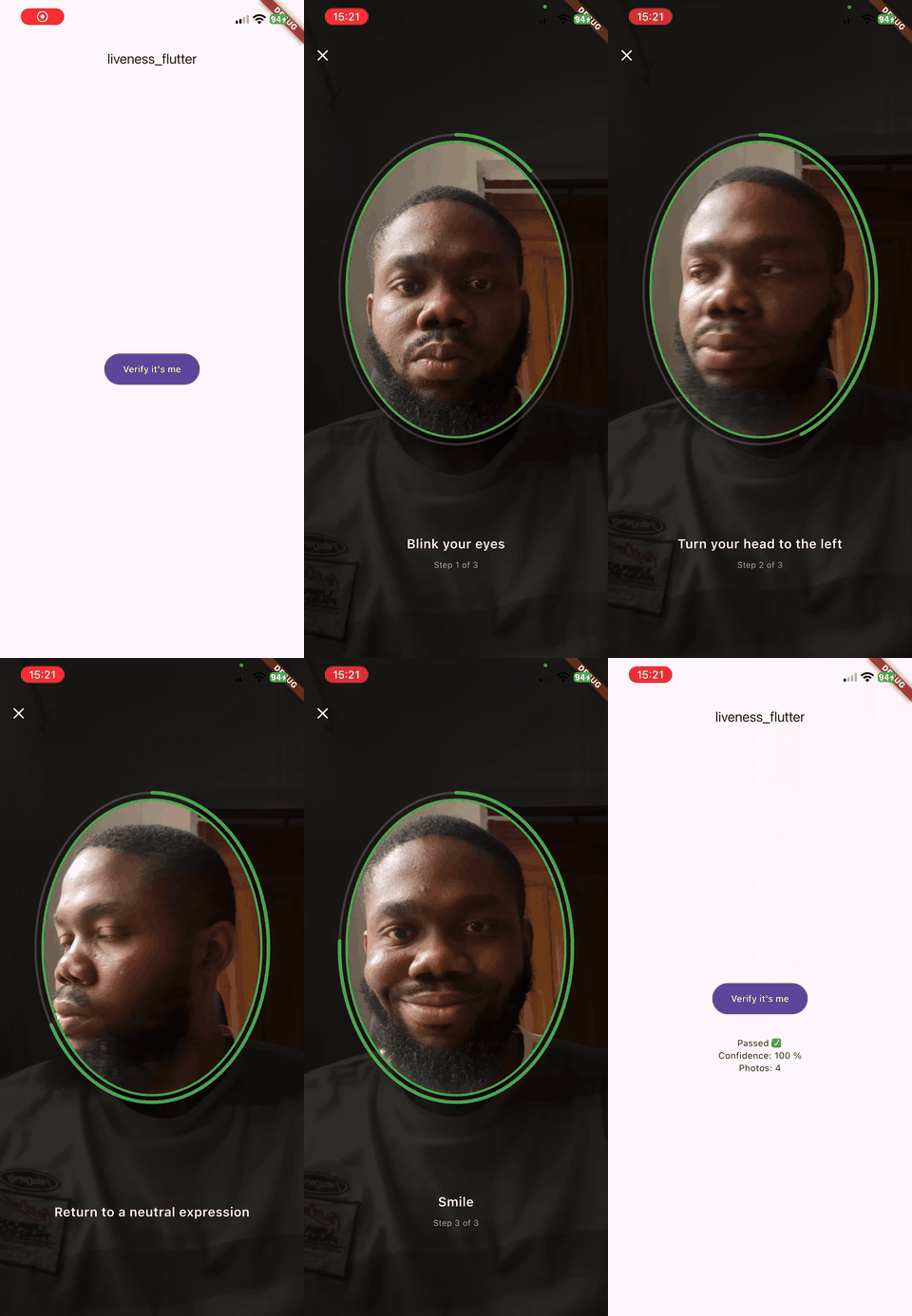
The user blinks, smiles or turns their head when asked; the package checks a live person did it, then hands you the result — and the photos, if you want them — to send wherever you want.
LivenessDetector(
  config: const LivenessConfig(
    actions: [LivenessAction.blink, LivenessAction.smile, LivenessAction.lookLeft],
    shuffleActions: true,          // (1)!
    capture: {CaptureType.images}, // (2)!
  ),
  onResult: (result) {
    if (result.success) sendToYourServer(result);
  },
)
- A new order every time, so yesterday's recording won't match today's.
- A photo at the peak of each action, for your server to check.
Requirements: Flutter 3.38+ · Android 7.0+ (API 24) · iOS 15.5+
Why this package?
-
Proves a live person is there
Random actions — blink, smile, turn, nod, 13 to choose from — in a new order every time, so a photo or a pre-recorded video can't follow along.
-
Catches common tricks
Frozen or injected camera feeds, an unnaturally still "face", a second or swapped face, bad lighting — plus an optional screen-flash test against replayed videos.
-
Gives your server the evidence
A photo at the peak of each action, or video, with hashes and an optional server-issued challenge, so your backend can verify instead of trusting the phone.
-
Looks like your app
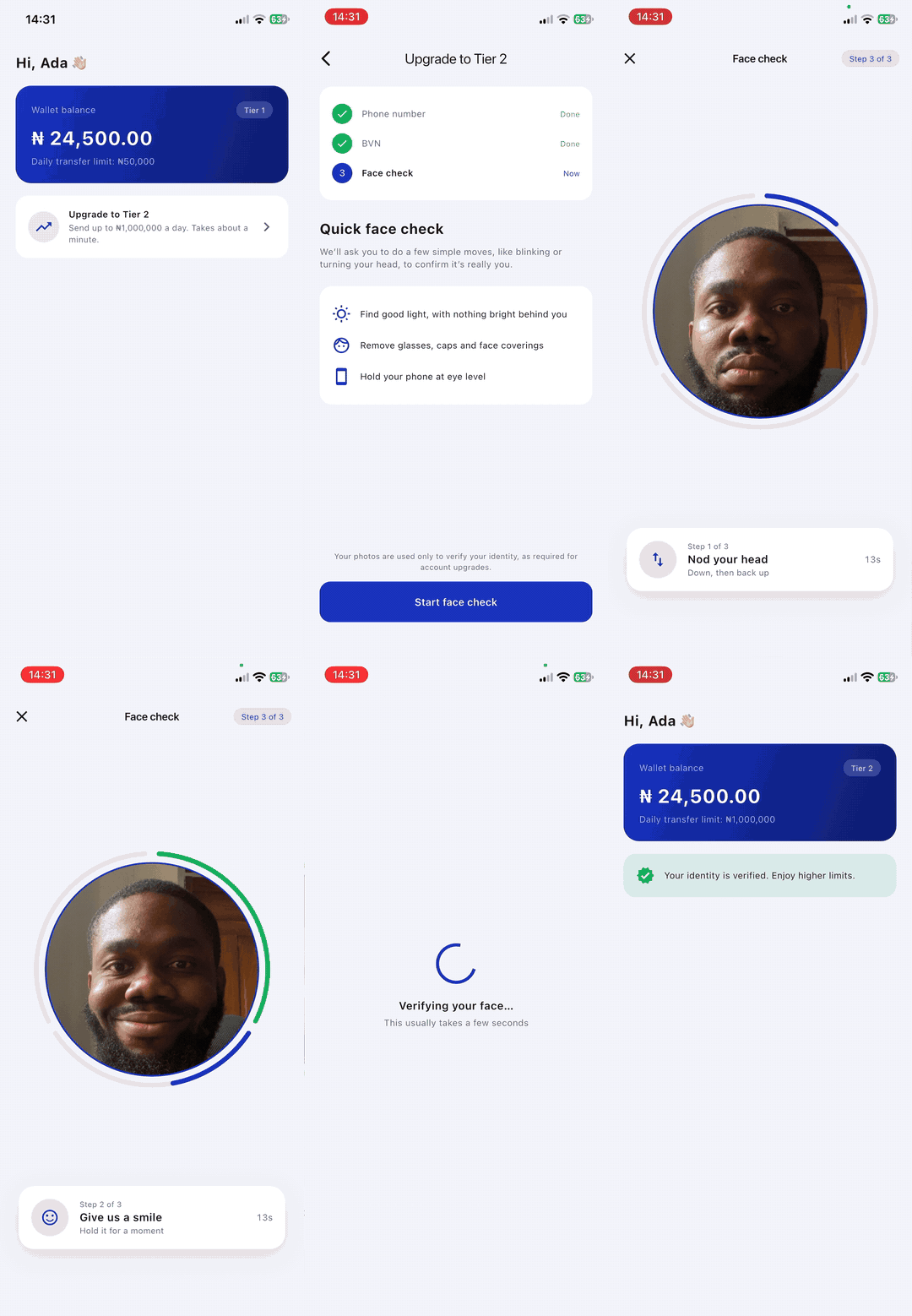
Theme every color and word, or replace the screen with your own design — see the branded fintech example.
-
Free and light
Pure Dart plus Google's on-device ML Kit. No per-check fees, no account, no server of ours.
-
Agent-ready
One command installs agent skills that teach your coding agent the integration and the backend checks.
How it works
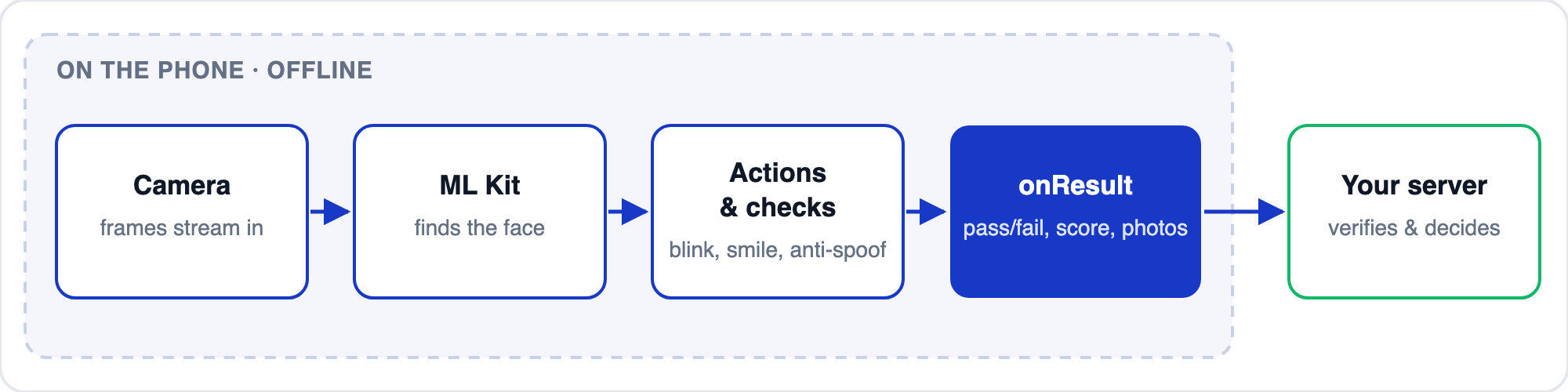
- The camera streams frames, and Google's ML Kit finds the face — on the phone, offline.
- The package asks for each action in turn and checks it was really done, while watching for frozen feeds, a second face and poor light.
onResultgives you oneLivenessResult: pass or fail, a confidence score, and the photos if you asked for them.- You send it to your server, which can verify it before trusting it.
Is this right for you?
A great fit for
Sign-up and onboarding gates, confirming it's really the user before a sensitive action, marketplace and gig-worker checks, and KYC flows where your backend also reviews the photos.
Pair it with server checks for
Anything regulated or with money on the line. The phone's verdict alone can be tampered with: follow the server verification guide and review the photos server-side (face match, presentation-attack detection).
Not the right tool if
You need certified liveness — for example, a passed ISO/IEC 30107-3 presentation-attack evaluation such as iBeta's — or protection against sophisticated masks and deepfakes. That takes a trained anti-spoof model and usually a paid provider. This package can plug such a model in but doesn't ship one.
What that means: a presentation attack is showing the camera something that isn't a live person, such as a photo, a screen, a mask or a deepfake. ISO/IEC 30107-3 is the international standard for testing how well a system catches them, and labs like iBeta certify products against it. ASIS has a short plain-language introduction.
Still deciding? The honest notes cover every rough edge in plain language (what the anti-spoof checks can and can't catch, memory, lighting, device quirks) and the setting that changes each one.
Pick your path
-
Add a working liveness check to your app in about 10 minutes.
-
Have an AI coding agent do the integration, with one command.
-
See every example, from 90 lines to a fully branded KYC flow.
-
Colors, text, your own overlay and instructions.
-
For KYC or anything with real consequences.
-
An agent holds the phone and verifies someone else.
-
Offline? App size? Masks? Quick answers.
-
Know the limits before shipping.